
L a N e t

Loading

Nigeria's free digital learning hub. Videos, lecture notes, practice questions and leaderboards aligned with CCMAS, NBTE, NCCE, WAEC, NECO, IJMB and JAMB curricula.

  • 100% Free — No Subscription. No Paywall. Ever.

CSC 106 — COMPUTER HARDWARE MAINTENANCE

Computer Science · 100 Level · Second Semester

About this course

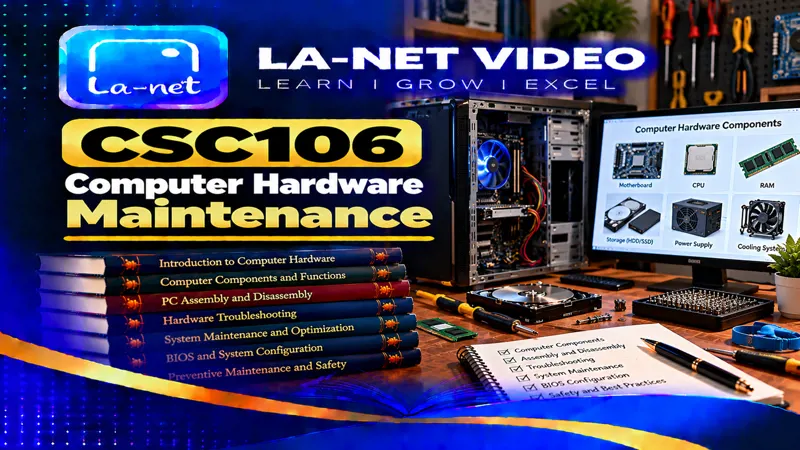
CSC 106 COMPUTER HARDWARE MAINTENANCE is a 100 Level course in the Computer Science department, taught in the Second Semester. On La-Net Hub you can watch all 30 recorded lectures for free, grouped into 10 series, read the course lecture note online or download it as a PDF, and test yourself with practice questions.

Assembly and Disassembly of Personal Computers refers to the systematic process of putting together and taking apart the physical components of a computer system. It involves carefully handling parts such as the motherboard , processor , RAM , storage devices , power supply , and peripherals , ensuring they are properly connected and secured. Assembly focuses on building a functional system by installing components in the correct order, while disassembly emphasizes safe removal for repair, upgrades, or troubleshooting. Both processes require knowledge of hardware compatibility, use of appropriate tools, and adherence to safety precautions like grounding to prevent static damage. Mastering these skills allows individuals to maintain, upgrade, and repair computers efficiently, ensuring optimal performance and extending the system’s lifespan.

Computer System Components are the essential building blocks that make up a computer and enable it to function effectively. They include the input devices such as keyboards and mice, which allow users to interact with the system; output devices like monitors and printers, which display or produce results; and storage devices such as hard drives and SSDs, which keep data permanently or temporarily. At the core lies the central processing unit (CPU) , often called the brain of the computer, responsible for executing instructions, while memory (RAM and ROM) ensures smooth processing and quick access to data. Supporting these are the motherboard , which connects all components, and power supply units , which provide the necessary electrical energy. Together, these components form an integrated system that allows computers to process information, perform tasks, and deliver results efficiently.
Lectures in this course

Series 1: Assembly and Disassembly of Personal Computers (SERIES 4) · Part 1

  1. Assembly and Disassembly of Personal Computers 1 10 minutes 15 seconds
  2. Assembly and Disassembly of Personal Computers 2 10 minutes 28 seconds
  3. Assembly and Disassembly of Personal Computers 3 11 minutes 3 seconds

Series 2: Assembly and Disassembly of Personal Computers (SERIES 4) · Part 2

  1. Assembly and Disassembly of Personal Computers 1 9 minutes 31 seconds
  2. Assembly and Disassembly of Personal Computers 2 9 minutes 48 seconds
  3. Assembly and Disassembly of Personal Computers 3 10 minutes 17 seconds

Series 3: Computer System Components (SERIES 2) · Part 1

  1. Computer System Components 1 9 minutes 20 seconds
  2. Computer System Components 2 9 minutes 31 seconds
  3. Computer System Components 3 8 minutes 13 seconds

Series 4: Computer System Components (SERIES 2) · Part 2

  1. Computer System Components 1 8 minutes 38 seconds
  2. Computer System Components 2 8 minutes 46 seconds
  3. Computer System Components 3 7 minutes 37 seconds

Series 5: Introduction to Computer Hardware Maintenance (SERIES 1) · Part 1

  1. Introduction to Computer Hardware Maintenance 1 7 minutes 19 seconds
  2. Introduction to Computer Hardware Maintenance 2 7 minutes 47 seconds
  3. Introduction to Computer Hardware Maintenance 3 7 minutes 22 seconds

Series 6: Introduction to Computer Hardware Maintenance (SERIES 1) · Part 2

  1. Introduction to Computer Hardware Maintenance 1 6 minutes 46 seconds
  2. Introduction to Computer Hardware Maintenance 2 7 minutes 9 seconds
  3. Introduction to Computer Hardware Maintenance 3 6 minutes 48 seconds

Series 7: Peripheral Devices and Safety Practices (SERIES 5) · Part 1

  1. Peripheral Devices and Safety Practices 1 9 minutes 46 seconds
  2. Peripheral Devices and Safety Practices 2 10 minutes 31 seconds
  3. Peripheral Devices and Safety Practices 3 9 minutes 17 seconds

Series 8: Peripheral Devices and Safety Practices (SERIES 5) · Part 2

  1. Peripheral Devices and Safety Practices 1 9 minutes 1 second
  2. Peripheral Devices and Safety Practices 2 9 minutes 47 seconds
  3. Peripheral Devices and Safety Practices 3 8 minutes 38 seconds

Series 9: Preventive and Corrective Maintenance (SERIES 3) · Part 1

  1. Preventive and Corrective Maintenance 1 7 minutes 49 seconds
  2. Preventive and Corrective Maintenance 2 8 minutes 33 seconds
  3. Preventive and Corrective Maintenance 3 7 minutes 31 seconds

Series 10: Preventive and Corrective Maintenance (SERIES 3) · Part 2

  1. Preventive and Corrective Maintenance 1 7 minutes 13 seconds
  2. Preventive and Corrective Maintenance 2 7 minutes 52 seconds
  3. Preventive and Corrective Maintenance 3 6 minutes 57 seconds